DeepSkyHosting

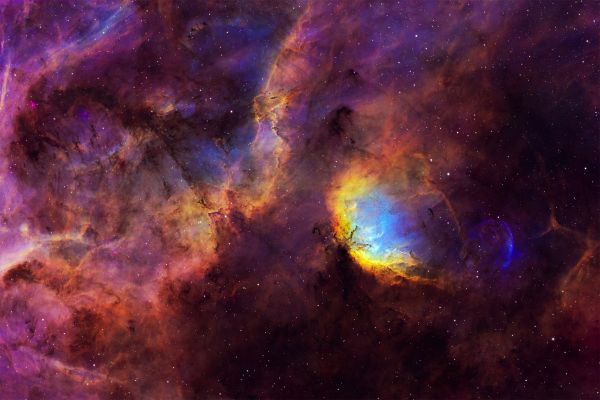
Sh2-101 (Tulip Nebula and surroundings)

Anton G
21659
Category:Deep Sky
Published:
893
Sh2-101 (Tulip Nebula and surroundings)
Resolution:
4096x2731 px
File size:
7397 KB

Photo description / processing

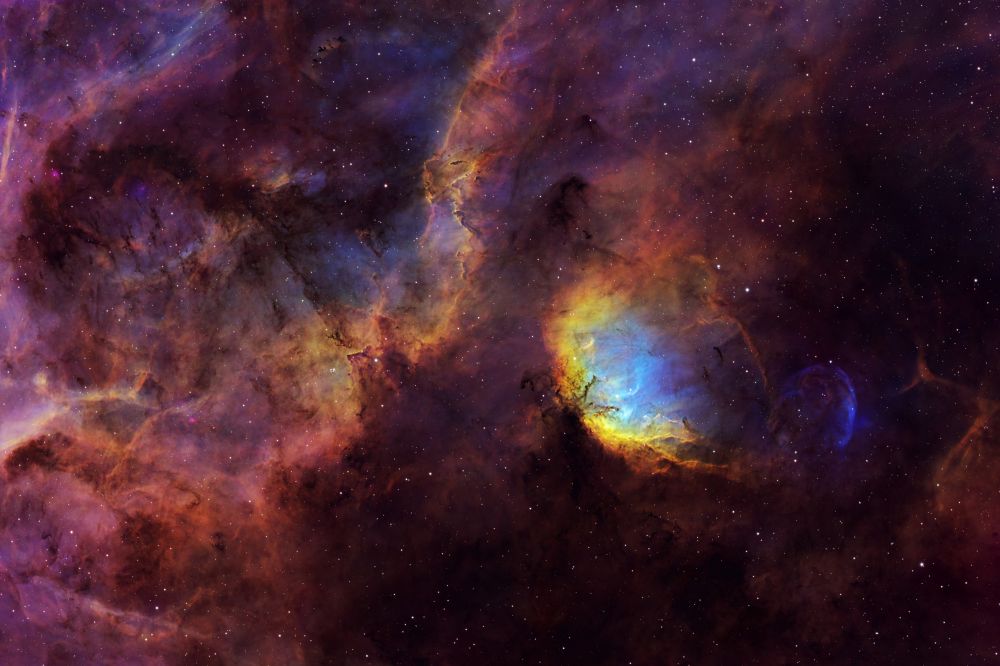
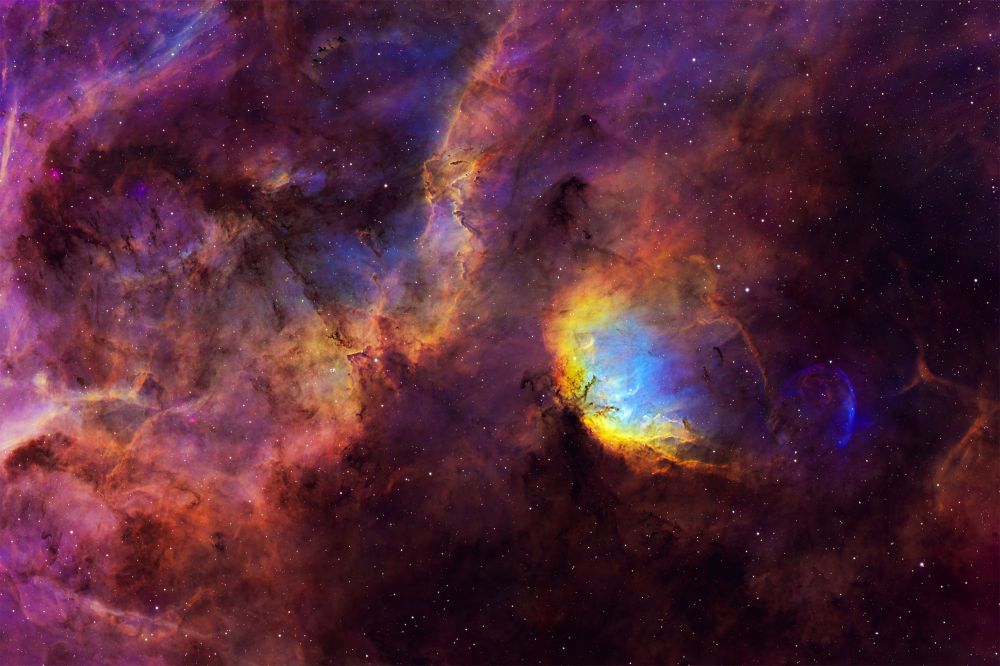
Sh2-101 (Tulip Nebula and surroundings) Captured during spring-summer 2025. Stacking, stars, MLT - Pixinsight, post-processing Photoshop + denoise in GraxPert. No plugins as usual. For stars additional RGB with 8 60sec exposures in each channel. Palette based on SHO. Discussion, critique, questions - in astrochat https://t.me/dalniycosmos_chat , we have many members there, special welcome to haters)

Technical information

Telescope/Lens
Askar 107PHQ
Camera
QHY268M
Mount
ZWO AM5
Guide Scope
QHY OAG
Guide Camera
ToupTek GPM462M
Software
Pixinsight, GraXpert, N.I.N.A., Adobe Photoshop
Location
Мержаново (Ростовская область), Россия

Light pollution

Yellow, Bortle 5 zone

Date taken
t.me/dalniycosmos_chat/62533/77705

Exposure

  • 72 × 600″ · ISO/Gain: 56 · Ha ·
  • 109 × 600″ · ISO/Gain: 56 · OIII ·
  • 111 × 600″ · ISO/Gain: 56 · SII ·

Total exposure: 48 h 40 m

Photo versions

Sh2-101 (Tulip Nebula and Surroundings)
Updated
Sh2-101 (Tulip Nebula and Surroundings)

Dec 1st, 2025

Updated version of the Tulip Nebula, made brighter and more saturated as requested. Join our discussion in the LA group - https://t.me/dalniycosmos_chat
Sh2-101 (Tulip Nebula and surroundings)
Current photo
Sh2-101 (Tulip Nebula and surroundings)

Oct 24th, 2025

48 h 40 m

Sh2-101 (Tulip Nebula and surroundings) Captured during spring-summer 2025. Stacking, stars, MLT - Pixinsight, post-processing Photoshop + denoise in GraxPert. No plugins as usual. For stars additional RGB with 8 60sec exposures in each channel. Palette based on SHO. Discussion, critique, questions - in astrochat https://t.me/dalniycosmos_chat , we have many members there, special welcome to haters)
Show changes
Previous version
Current version

Comments

oeswww
Beautiful, but a bit dark. You need to adjust the levels to bring out the details below and to the right of the Tulip, but you'll have to apply a protective mask over the Tulip. This can be done in Photoshop. For example, in the VK editor, you can move the "Exposure" slider to see what I mean.
Reply

Sign up or sign in to leave a comment.

Anton GReply to oeswww
No, there's no need to pull anything there; the signal is distributed evenly as it naturally exists. Saturating everything in red doesn't make sense to me—it's visually unappealing. I've tried many variations, masks, and processing techniques. This version best reveals the desired depth and structure.
Reply

Sign up or sign in to leave a comment.

More photos by Anton G